Skip to Content

Manufacturing

From materials to finished products.

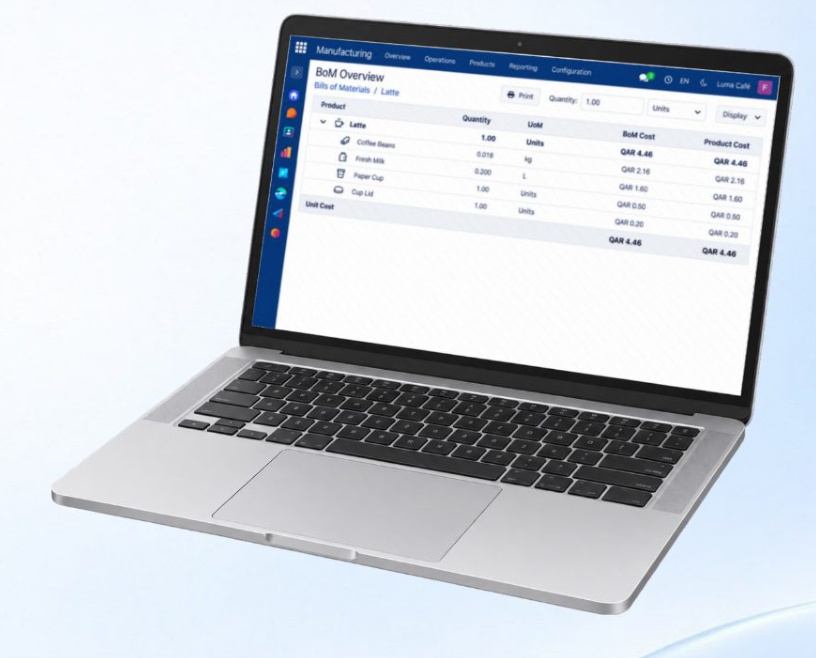
Define recipes and component quantities, then create production orders. Follow materials, work stages and finished goods, and review the cost of what you make.

QAR 1,000 / year
Manufacturing
01
Define components
02
Plan the work
03
Review output and cost

From components to a finished product

A tailoring workshop defines the fabric, thread and work required for an abaya. The production order brings these requirements together so the team can follow materials, work stages and cost.

What each feature helps you do

See the action, then read what it does.

Keep recipes and components consistent

Define component quantities and reference recipes, and review estimated material costs. Keep the production team working from clear requirements; shared reference recipes also serve other relevant subscribed apps.

Turn demand into a production plan

Create production orders for the products and quantities you need. Define components and plan upcoming work so the team knows what to make and what materials are required.

Connect materials to finished output

Record materials consumed and finished goods produced against each production order. Keep the production record connected from inputs to output without a separate Inventory subscription.

Keep every stage moving

Break production into work orders and routes, such as cutting and sewing. Organise work centres and follow progress through to completion.

Understand the cost of what you make

Review component estimates, production costs and material use. Compare estimates with recorded production activity to see where costs and your process need attention.


One subscription for your business

10 customer users are included per business, shared across all subscribed apps and locations. Each additional user costs QAR 200 per year.

The Point of Sale app includes 2 POS branches. Each additional POS branch costs QAR 1,000 per year. Several registers at one branch count as one branch. Inventory is optional, regardless of branch count. Customers without POS do not incur this branch charge.

Each business app includes 30 minutes of booked training and technical support per month, capped at 2 hours per business. Configuration help and how-to questions use this allowance; Systemy defect fixes do not. No carry-over. Additional time: QAR 200/hour.

Hosting and automatic backups are included in every subscription.

The subtotal for business apps and AI is capped at QAR 12,000 per year. At that amount, the complete package includes all 11 apps and AI. Additional users, POS locations, hardware and other services are charged separately.

The optional AI assistant does not add training time. AI training can use your existing allowance. The complete package includes AI and receives the same 2-hour monthly maximum.

Existing customers retain their current pricing and allowances until renewal or an agreed change.

Calculate your annual price

Subscribe through Systemy app

Download Systemy app, register, choose your apps and complete your payment in the app.

01

Download Systemy app

Install Systemy app on your phone.

02

Create your account

Register in the app to start your subscription.

03

Choose your business apps

Select the apps your business needs inside the app.

04

Complete payment

Pay for your selected subscriptions in the app.

For additional users or POS branches, contact us to arrange the additions. POS includes 2 branches; Inventory remains optional.